How to Play Mobile Games on PC: Emulators, Requirements and BIOS Setup
Four ways to play your phone games on a PC, what each one needs from your hardware, and how to turn on the virtualization setting Google’s app and BlueStacks rely on.
Independent GPU comparisons, build guides, and troubleshooting tips backed by real benchmarks and hands-on testing.
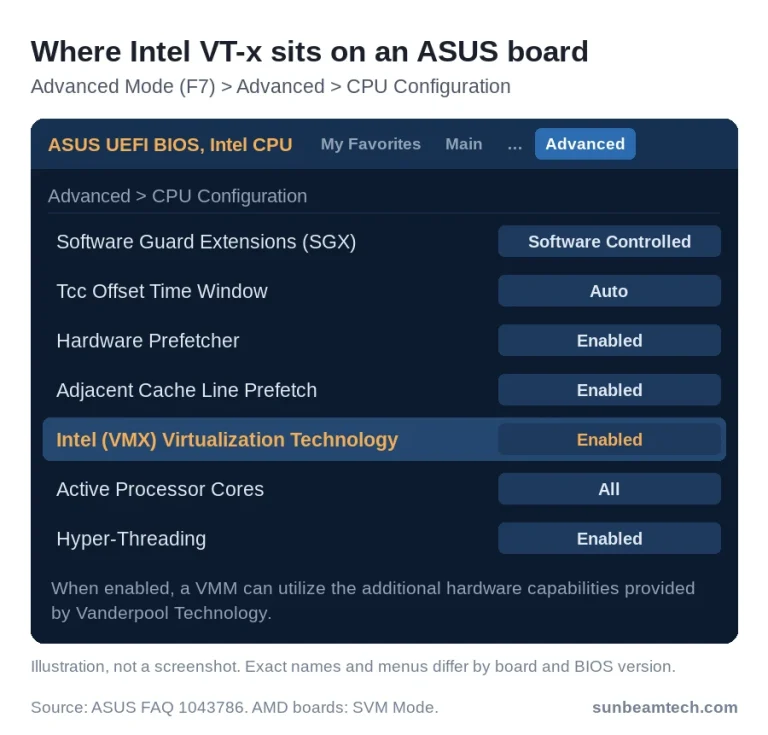
Four ways to play your phone games on a PC, what each one needs from your hardware, and how to turn on the virtualization setting Google’s app and BlueStacks rely on.
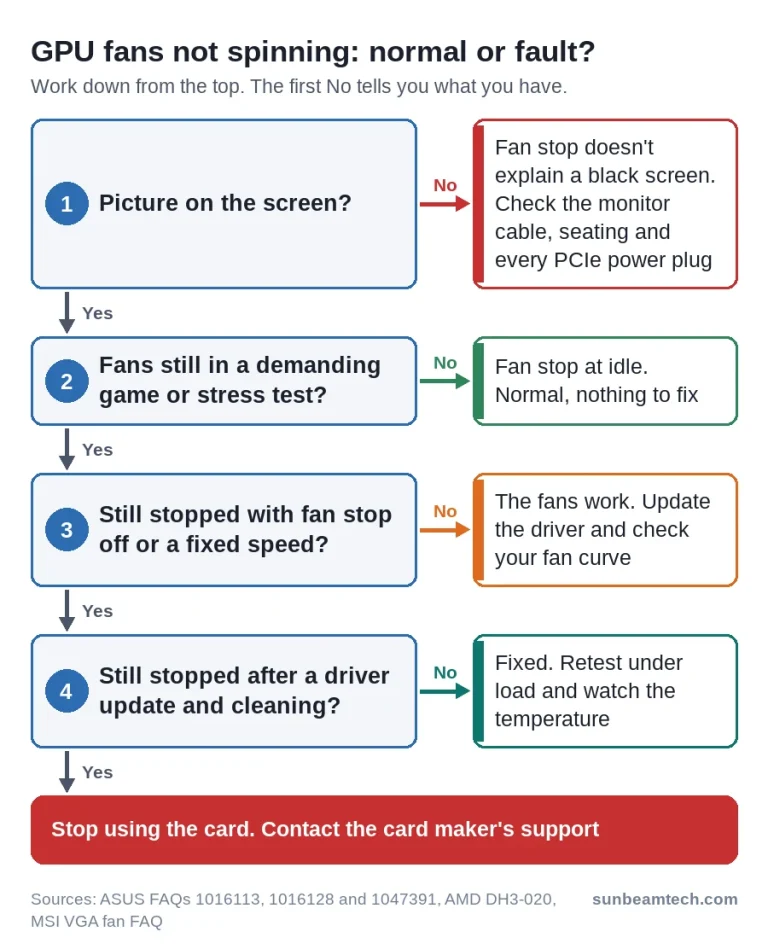
Stopped graphics card fans are often fan stop doing its job. Here’s how to check the GPU temperature, force the fans on for a test and spot a real fault.
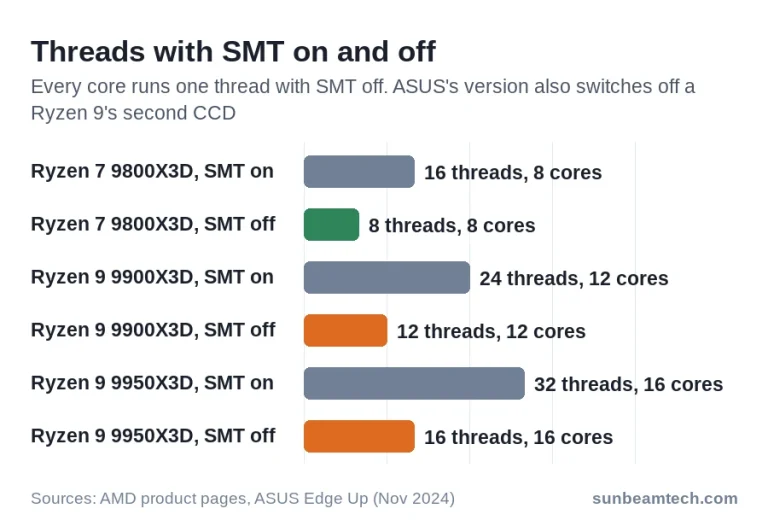
X3D Gaming Mode, Turbo Game Mode and X3D Turbo Mode switch off SMT and sometimes a whole CCD. Here is what each version changes, how to check it and when to leave it off.

How much gold sits in your RAM, motherboard, CPU and laptop, measured per part, plus what that gold is worth at the current price and why scrap buyers pay far less.
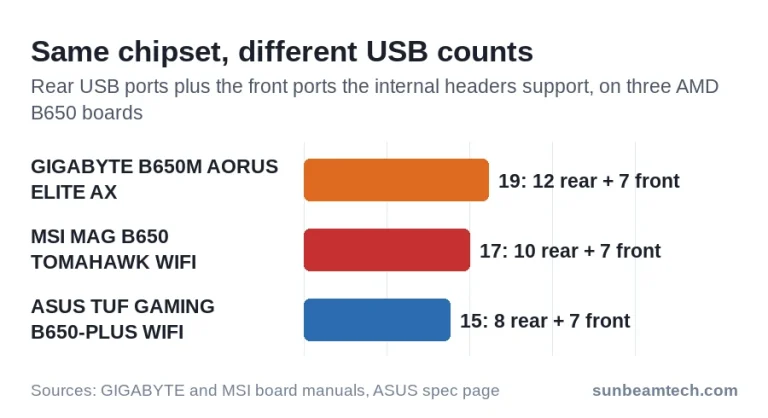
Find your exact board model, read its spec page without counting ports twice, and work out how many front ports its USB headers can run.
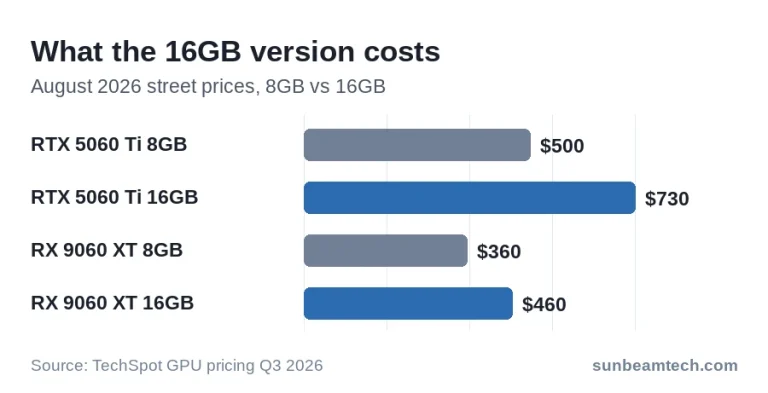
A DIY DDR5 build starts near $1,200 with RAM. At $800 you build on DDR4 for about $740 to $790, about $1,500 buys competent 1440p, and about $2,500 can reach 60 FPS at 4K. Last updated: October 2026 You have a number in mind: $800, $1,500 or $2,500. The useful question is what that number…
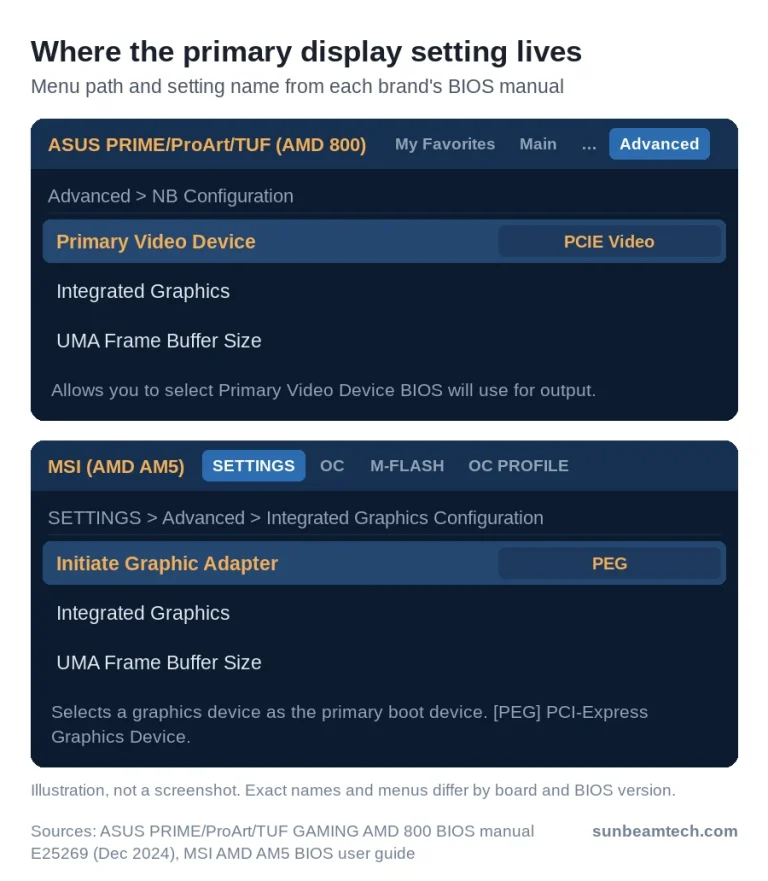
Your graphics card is missing from the BIOS or Device Manager? Find out where it drops out, from the primary display setting and error codes to Microsoft Basic Display Adapter and laptop GPU modes.
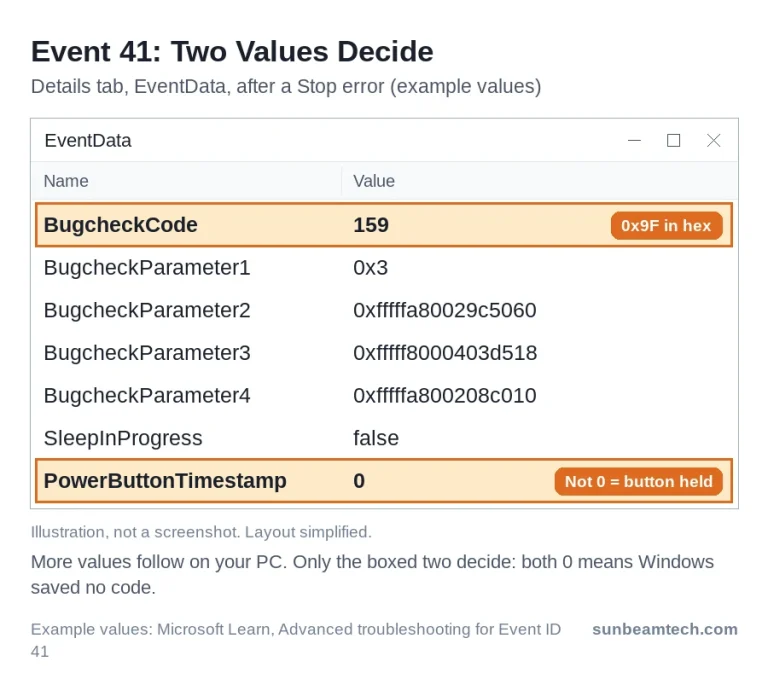
A PC that reboots by itself has crashed, lost power or been told to restart. Here is how to read what the restart left behind in Windows and what to check first.
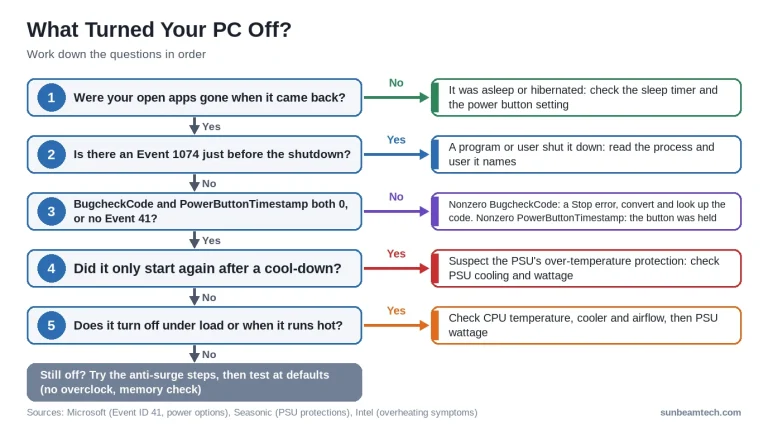
A PC that switches itself off was shut down on request, crashed or lost power. Windows’ shutdown events tell you which, and point you to sleep settings, the PSU or heat.
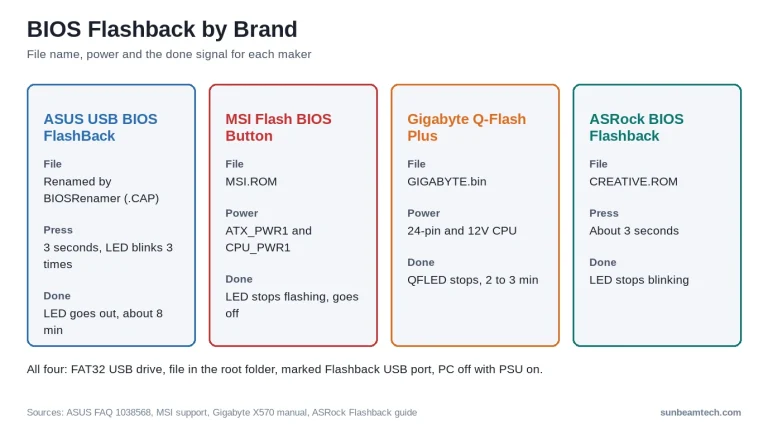
How to use BIOS Flashback on ASUS, MSI, Gigabyte and ASRock boards to update the BIOS from a USB drive without a CPU, and what the LED is telling you.
Independent PC hardware guides on BIOS settings, cooling, motherboard headers and troubleshooting, checked against manufacturer documentation.